







Background Noise Remover
 REC
REC


 Max upload limit is 500 MB under 10 min.
Upgrade your limit with a Pricing Plan
Max upload limit is 500 MB under 10 min.
Upgrade your limit with a Pricing Plan
Remove Background Noises from Your Audio
AI Noise Remover makes your recordings clear by removing unwanted background sounds. With just one click, you can clean up noise like traffic, fans, or chatter. This saves time, improves quality, and makes your audio sound more natural and enjoyable.
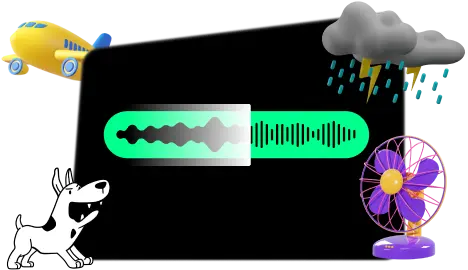
Types of Noises Our Noise Remover Removes
-
Environmental
Traffic, rain, birds, sirens, construction
-
Human & Animal
Crowd chatter, baby cries, coughs, sneezes, pets
-
Appliances
AC hum, fan noise, washing machine, computer, vacuum
-
Objects
Cooking, glass breaking, furniture moving, wrappers
-
Electronic & Mechanical
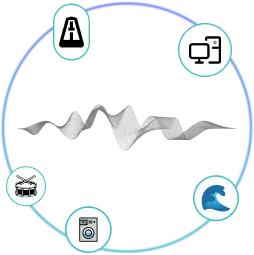
Typing, mouse clicks, phone rings, metallic sounds, pops
-
Background
White noise, Gaussian noise, tapping, hums
-
Miscellaneous
Water sounds, drum beats, sudden disturbances
Remove hum, fan, and AC noise from audio
It removes appliance noises such as air conditioner hum, fan sounds, computer noise, washing machine cycles, and vacuum cleaner sounds. With one click, your audio is free from these background noises.


Remove human crowd and pet noises from the background
Our Background Noise Remover clears unwanted sounds from both audio and video recordings. It can take out crowd chatter, baby cries, coughs, sneezes, and pet sounds. Even small distractions like hissing or purring are removed in one click, leaving your recording clean and easy to listen to.
Remove Outdoor and Environmental Sounds
Our tool removes distracting background noises like birds chirping, traffic, construction work, rain, and sirens. These sounds often interrupt recordings and make them hard to listen to. By cleaning them out, your audio becomes clear and professional.


Remove Object Sounds and Material Noises
It effectively removes object-related noises such as cooking sounds, glass breaking, furniture moving, and the crinkling of wrappers. These sharp or sudden sounds are cleared and keep your recording studio-grade quality.
Remove Electronic and Mechanical Sounds
It removes noises from electronic and mechanical devices such as keyboard typing, mouse clicks, phone rings, pops, and metallic sounds during voice recording. These bacground noises are filtered out to make your audio smooth and professional.


Remove Background Sound Types
Our tool intelligently removes background sounds i.e., Gaussian/white noise, tapping sound, etc.
Clear Out Miscellaneous Noises
BackgroundNoise Remover clears out miscellaneous noises such as water sounds, drum beats, and other unexpected disturbances. This helps keep your recordings consistent and distraction-free.
How to Use Our Noise Remover?
Three quick steps. No setup. No learning curve.
-
Upload Your File
Select an audio or video file from your device. Supported formats include MP3, WAV, M4A, MP4, MOV, and more.
-
Let AI Clean the Noise
Our model analyzes the track, detects hums, hisses, chatter, and other distractions, then removes them while keeping voices intact.
-
Preview and Download
Compare the cleaned version with the original, then download the final file in a click.
Tip: Processing takes only a few seconds. Everything runs in the cloud, so your device stays fast.
How to Use Our Noise Remover?
Three quick steps. No setup. No learning curve.
Upload Your File
Select an audio or video file from your device. Supported formats include MP3, WAV, M4A, MP4, MOV, and more.
Let AI Clean the Noise
Our model analyzes the track, detects hums, hisses, chatter, and other distractions, then removes them while keeping voices intact.
Preview and Download
Compare the cleaned version with the original, then download the final file with a click.
Tip: Processing takes only a few seconds. Everything runs in the cloud, so your device stays fast.

Why Choose Our Noise Reducer?
Unwanted background noise like hums, hisses, wind, or static can easily distract listeners and lower the quality of your recording. Our AI Noise Remover quickly analyzes the audio, filters out those sounds, and leaves you with clean, polished, and professional-quality audio.
Features of Our Noise Remover
AI Technology
Our tool uses advanced machine learning models trained on thousands of audio samples. It doesn’t just mute noise; it intelligently detects and separates unwanted sounds like hisses, hums, and chatter without distorting your voice or music.
Simple Interface
Upload your file, click once, and get a clean version back. No complicated sliders, no audio engineering knowledge needed. Even beginners can achieve studio-like clarity in seconds.
Try it at zero cost
You can clean up to 5 minutes of audio or video completely free, so you can hear the difference before upgrading. Perfect for quick voice notes, online classes, or podcasts.
Wide Format Support
Supports almost every common file type, both audio and video: MP3, WAV, AAC, MP4, MOV, AVI, and more. You don’t need to convert files before uploading, saving you time and effort.
Instant Results
Processing takes only a few seconds, even for longer files. There is no waiting in queues and no heavy software installation. Everything runs in the cloud so your device stays fast.
Safe & Secure
We never store your uploads. Files are processed securely in real time and deleted right after. Your private recordings stay private.
Experience High-Quality Sound with Our Noise Remover
Ready to take your audio to the next level? Our AI noise remover is designed to enhance audio quality for all users. Say goodbye to distracting background noise and hello to clean, professional sound. Try our noise remover today!
Powered by Audioenhancer.ai